
Late Swap
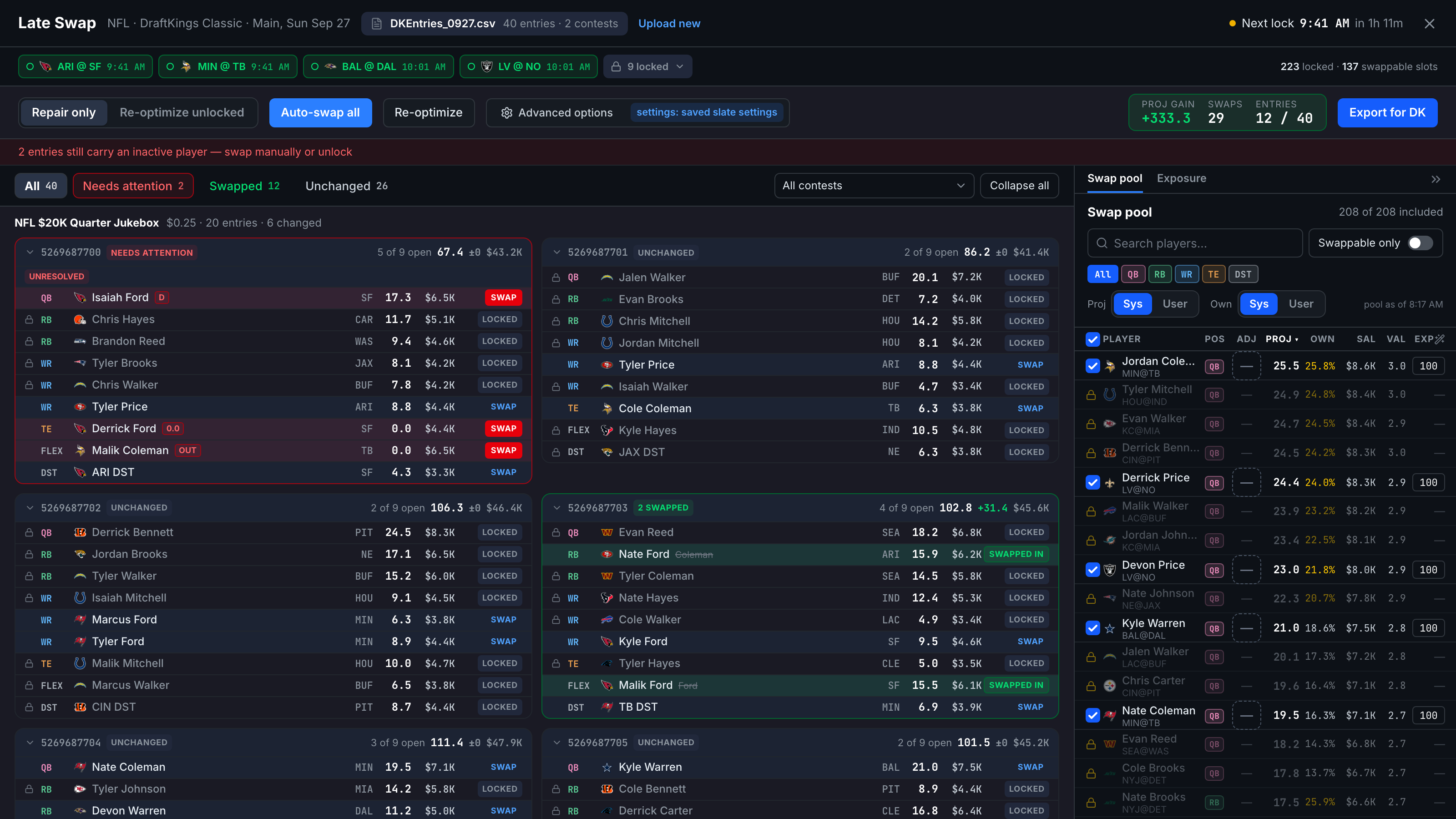
Once a slate is underway, Late Swap (top nav) re-optimizes the unlocked portion of lineups you've already entered: started games are frozen, the rest is rebuilt, and you export a corrected entries file back to the site.
Upload your entered lineups
Upload entries: drop your current entries CSV on the page, or click Choose file (the same DK/FanDuel export used in the Fill workflow). Your entries appear as cards, grouped by contest. Upload new replaces the file later.
Read the lock state
Along the top, games that haven't started show as green chips; started games fold into one grey locked chip. Within each entry, started players show a LOCKED tag — they cannot change — and the header counts the locked and swappable slots. Non-starting hitters are highlighted: amber when still swappable (actionable), greyed with a (locked) pip when trapped in a started game.
Auto-swap all
On NFL, CFB and NHL, pick Repair only (fix just the broken slots) or Re-optimize unlocked, then click Auto-swap all. The optimizer rebuilds the swappable slots using current projections, honoring your main-screen settings (exclusions, salary bounds, uniques, randomness, stacks, groups). Swapped-in players show a green SWAPPED IN tag, and a summary shows the projection gain. Needs attention filters to the entries that still need a hand swap; Re-optimize runs it again if projections have moved.
Export back
Export for DK (or Export for FD) downloads the entries file with Entry IDs and contests preserved and the swapped lineups filled in — re-upload it on the DFS site before your next game locks.
Late Swap is off on Showdown / Single-Game slates: one game means the whole lineup locks at first pitch, so there is nothing to swap.
The SWAP button on any swappable player opens the swap picker for a single-slot change, without re-running the whole set.